
Real changes.
Traceable comparisons.
The homepage shows two changes to the bundled fxcss starter theme, each captured in a disposable Firefox profile: a small one and an obvious one.
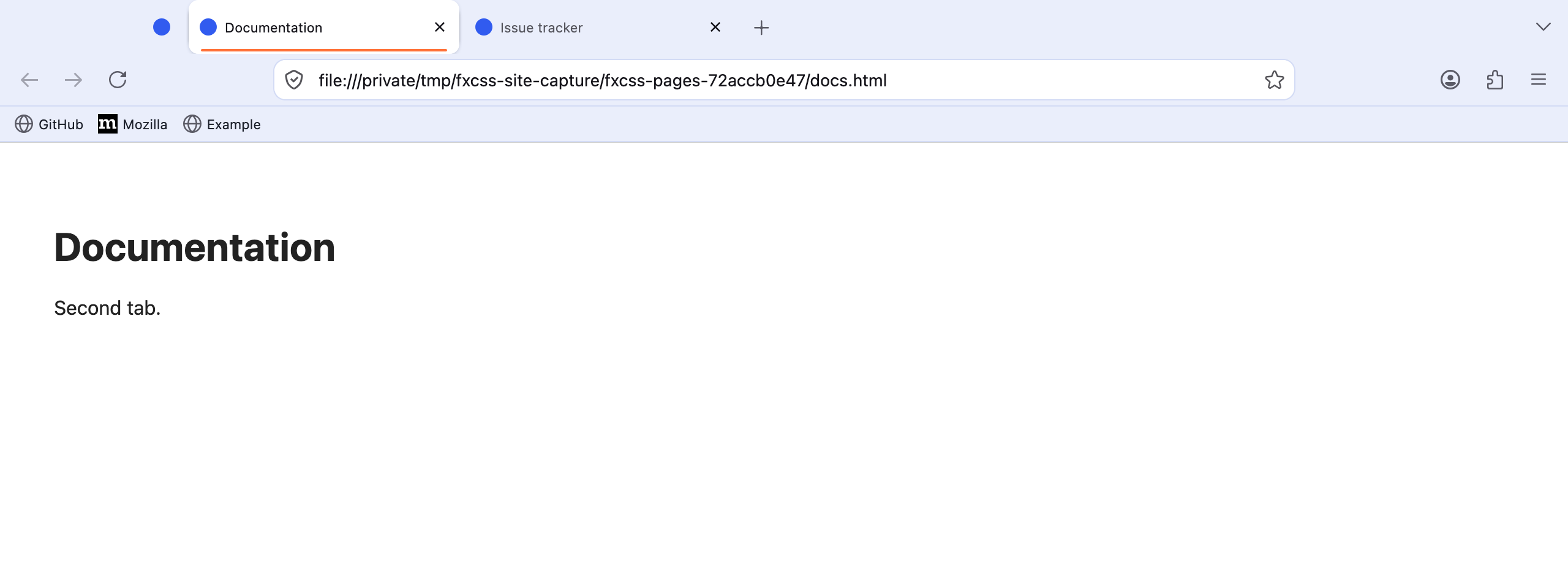
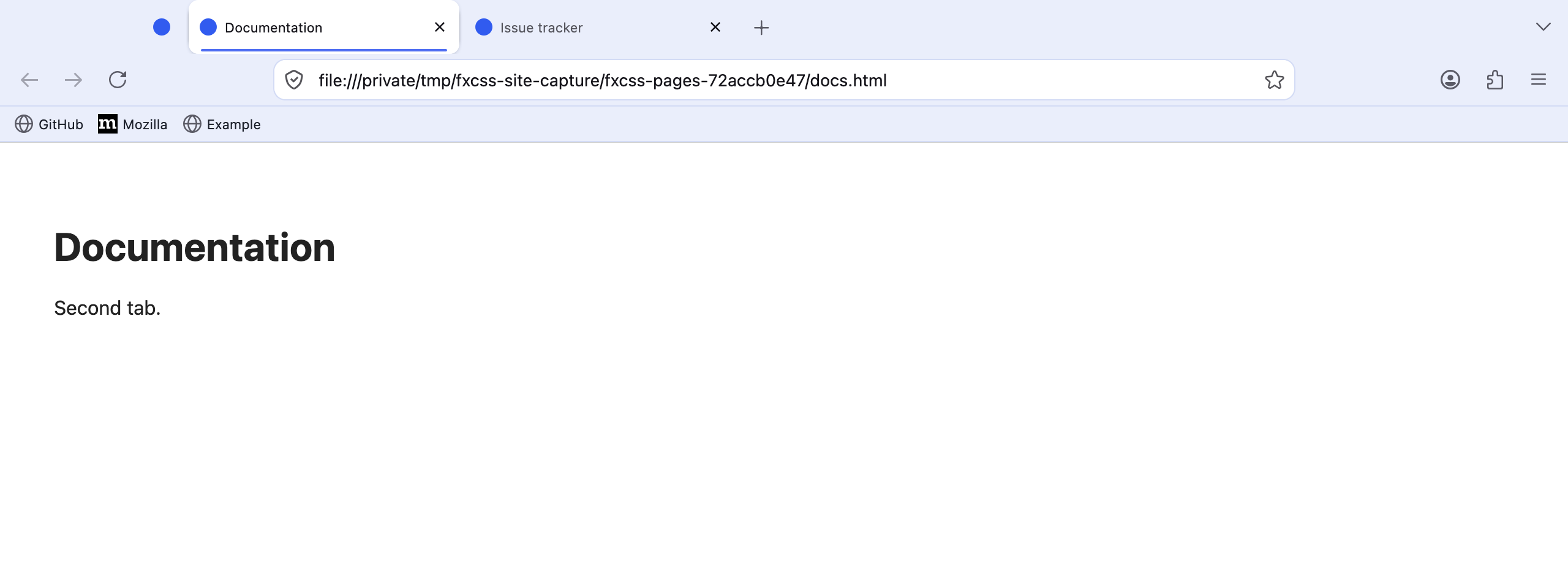
One CSS value changed the active tab. fxcss shows exactly where.
How comparison worksWhat changed
One light-mode declaration in chrome/userChrome.css: --demo-accent: #4f6ef2 became --demo-accent: #ff7139. The dark-mode declaration was unchanged.
How it was measured
fxcss 0.22.1 captured both versions in Firefox 155.0.1 on macOS on 2026-10-06. Both original captures are 2560 × 960 pixels.
The standard comparison normalises each capture to 960 × 360 pixels, then ignores per-channel differences below 24. It found 302 changed pixels out of 345,600 — 0.0874%, displayed as 0.09%.
The homepage shows the upper part of each unedited capture at the same scale. The percentage covers the full normalised image. Pink highlights are slightly enlarged by fxcss so small changes remain visible.
A more obvious change
The obvious example is a second change from the same baseline: --demo-toolbar: #eaeefb became --demo-toolbar: #ffe1cf, which recolours the tab strip, the navigation toolbar and the bookmarks toolbar. The same comparison found 59,001 changed pixels out of 345,600 — 17.072%.
Check the source material
- Original before screenshot and original after screenshot
- Before stylesheet and after stylesheet
- Comparison report for all 20 views
- Before capture coverage and after capture coverage
- Toolbar change screenshot, stylesheet, comparison report and capture coverage
- Versions, measurements, and asset checksums
All three capture runs completed all 20 expected views. Both changes are light-mode only, so the four standard dark-mode views were pixel-identical in both comparisons, as expected.